

Peter S. Buswell
Known throughout the industry as “DrVoIP”
Principal Solutions Architect
AWS • Amazon Connect • Generative AI Developer• Cisco Collaboration • Networking • Cybersecurity
Helping organizations and IT firms design, build, and deploy AI-enabled cloud, communications, and customer-engagement solutions.
Professional Overview
Peter S. Buswell has spent his career helping organizations navigate major technology transitions—from enterprise telecommunications and Cisco-based VoIP to AWS cloud architecture, Amazon Connect, custom application and Generative AI Development.
As founder of DrVoIP and Dextr, Peter combines executive-level business experience with hands-on technical architecture and engineering. He is equally comfortable discussing business objectives with executive management, refining requirements with users, and working directly with technical teams to design, build, and deploy production systems.
Today, DrVoIP operates as a specialized engineering practice, working directly with organizations and partnering with established IT firms on projects that require expertise they may not need to maintain internally every day.
Professional Certifications
More than two dozen professional certifications spanning AWS cloud architecture, development, operations, artificial intelligence, machine learning, Cisco collaboration, networking, and cybersecurity.
Featured Current Credentials

AWS Machine Learning Engineer – Associate
AWS Generative AI Developer – Professional
Amazon Connect Communications Specialist
AWS Certified AI Practitioner
Cisco Enterprise Credentials
CCNP Collaboration

CCNP Routing & Switching

Cisco Cybersecurity

Cybersecurity Specialty

Cisco Web Security
Why Companies Call DrVoIP
- Architect AWS cloud and Amazon Connect contact-center solutions.
- Design and build practical Generative AI applications using Amazon Bedrock and related AWS services.
- Develop custom applications, integrations, automation workflows, and customer-engagement systems.
- Design and troubleshoot Cisco Collaboration, VoIP, networking, and security environments.
- Provide hands-on technical leadership from initial concept through production deployment.
- Work as a trusted subcontract engineering partner while protecting the primary IT firm’s client relationship.
Career Highlights
- Founded Dextr, a cloud communications platform acquired by an AWS company in 2022 and subsequently rebranded as ConnectPath.
- Designed, deployed, and optimized more than 100 Amazon Connect contact centers.
- Built AI-enabled chatbots, CRM integrations, intelligent workflows, and custom cloud applications.
- Led enterprise Cisco Collaboration, VoIP, and networking deployments across healthcare, education, government, and commercial organizations.
- Served as founder, chief executive, chief technology officer, and technical leader in private, venture-backed, and public companies.
- Authored books and technical material covering Generative AI development, AWS, telecommunications, and cloud contact centers.
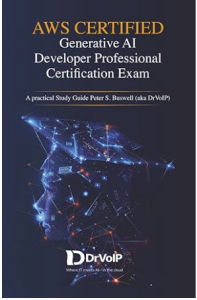
Author, Speaker and Technology Leadership
Peter wrote this Amazon best seller and regularly publishes and speaks about the practical development and business application of artificial intelligence, cloud communications, and emerging technology.

Working Style
Peter is a hands-on technical architect. He does not simply recommend solutions—he participates in designing, building, testing, and deploying them.
Your client is your client. My responsibility is to strengthen your team, represent your company professionally, and help deliver a successful project.
Still Building What Comes Next
Technology has reinvented itself several times during Peter’s career. He has simply enjoyed reinventing himself with it. The next difficult engineering problem remains more interesting than the last.
“I am generally recognized as a world-renowned expert on the subject of my own opinion.”
Connect with Peter
Peter welcomes conversations with organizations, IT firms, technical leaders, and engineers working on interesting cloud, communications, contact-center, and artificial-intelligence projects.
LinkedIn: linkedin.com/in/PeterBuswell
Engineering Practice: DrVoIP.com
Professional History: Peter-Buswell.com